
An expense report is how an employee or contractor asks to be paid back for work costs. Clear reports get approved faster. The names and amounts in the sample are made up.
How the template works
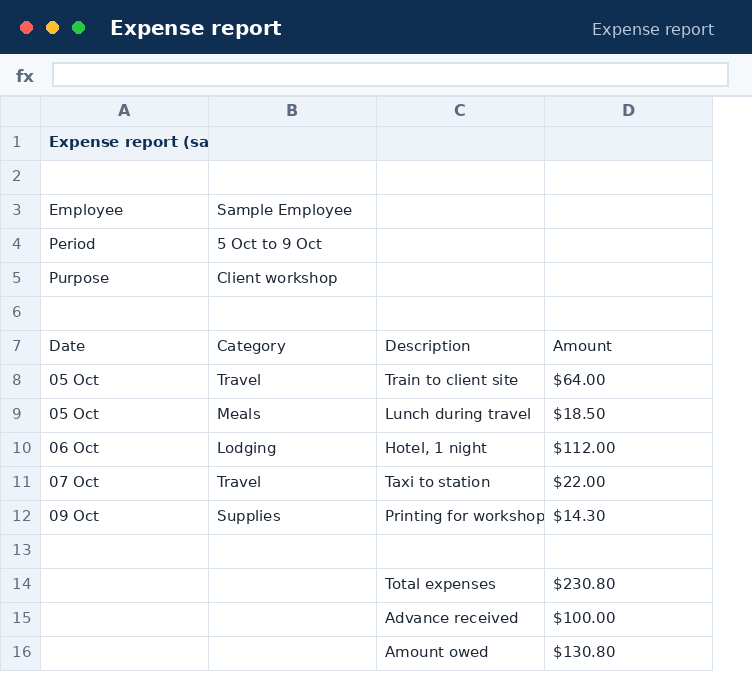
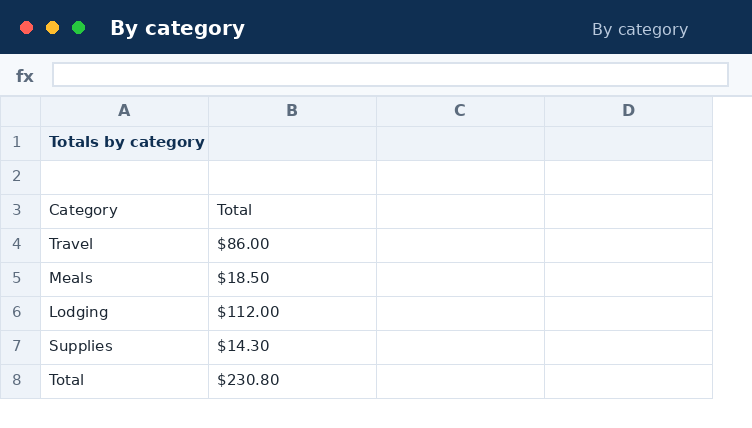
The Expense report sheet has employee, period and purpose at the top, then one row per expense. Total expenses is =SUM(D8:D12). Amount owed is =D14-D15: total minus advance. In the sample, five expenses add up to $230.80, a $100.00 advance was received, and $130.80 is owed. The By category sheet uses =SUMIF() to total travel, meals, lodging and supplies.
How to use it
1. Download the xlsx. 2. Fill in your name, the period and the purpose. 3. Add one row per expense and keep the receipts. 4. Enter any advance you got. 5. Save as PDF and send it with the receipts. Check your employer's policy for limits and which categories are allowed.
Related
For your own business spending, use the small business expense tracker spreadsheet. Prefer Sheets? Try the Google Sheets expense tracker. More: Excel templates for small business.
Download the free template
The bottom line
Submit reports soon after the trip, with receipts attached. Short, clear reports get paid sooner.