
Tracking expenses is how you find out where profit goes, and it makes tax time easier. You do not need accounting software on day one. The entries in the sample are made up.
What is in the spreadsheet
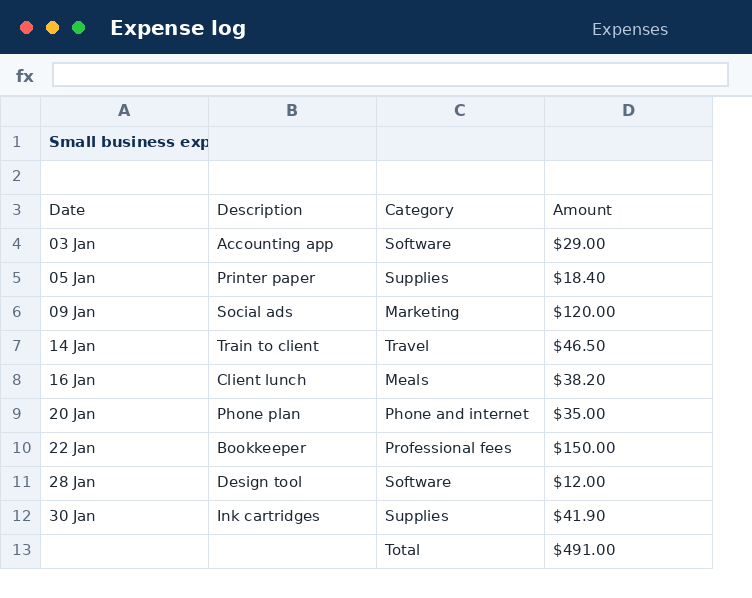
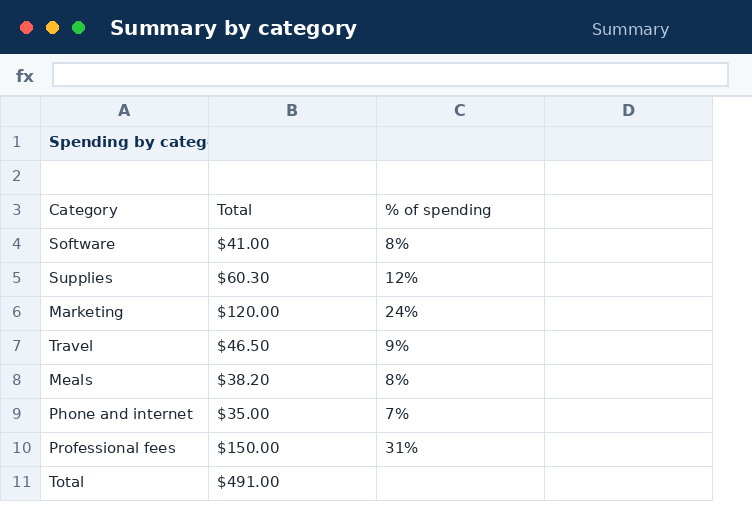
Expenses is a plain log with a running total in =SUM(D4:D12). Summary lists seven categories (software, supplies, marketing, travel, meals, phone and internet, professional fees). Each total is =SUMIF(Expenses!$C$4:$C$500,A4,Expenses!$D$4:$D$500), so new rows are picked up up to row 500. Rename the categories to fit your business, and keep the spelling identical on both sheets.
How to use it
1. Download the xlsx. 2. Delete the sample rows. 3. Add each expense as it happens, or weekly from your bank statement. 4. Check Summary monthly to spot the biggest categories. 5. Keep receipts. Which categories count for tax depends on where you live, so ask your accountant.
Related
Prefer Sheets? See the Google Sheets expense tracker. For income and expenses together, use the free bookkeeping Excel template. More files: Excel templates for small business.
Download the free template
The bottom line
The best tracker is the one you update. Keep categories few and log expenses weekly.