
Commission plans vary a lot. The simplest kind pays a percentage that rises as sales cross certain levels. This template handles that case. The names, sales and rates in the sample are made up.
How the template works
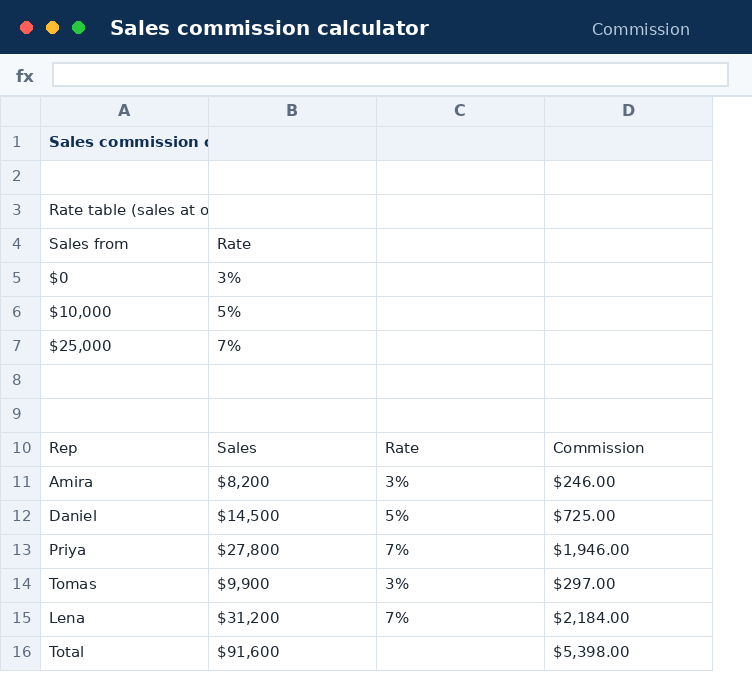
The Commission sheet has a rate table at the top: sales from $0 pay 3%, from $10,000 pay 5%, and from $25,000 pay 7%. Below it is a table of reps and their sales. Rate is =LOOKUP(B11,$A$5:$A$7,$B$5:$B$7), which finds the highest tier the rep has reached. Commission is =B11*C11. In the sample, five reps sold $91,600 in total and earn $5,398.00 in commission.
Whole-amount tiers vs marginal tiers
This calculator uses whole-amount tiers: once a rep reaches $25,000, the 7% rate applies to all of their sales. Some plans pay each rate only on the slice of sales inside that tier (marginal tiers). Those need a different formula. Check which type your plan uses before you pay anyone.
How to use it
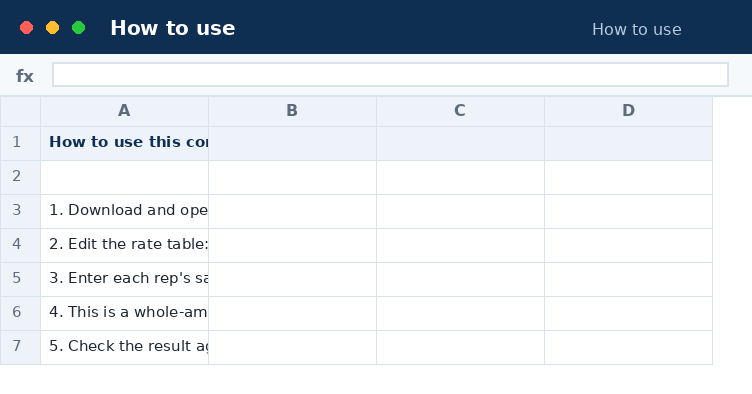
1. Download the xlsx. 2. Edit the rate table and keep it sorted from low to high. 3. Replace the sample reps and enter their sales for the period. 4. Read the Commission column and the total. 5. Copy the sheet for each month or quarter.
Related
To log the sales themselves, use the sales tracker for Excel. To see what commissions do to profit, try the profit and loss template. More files: Excel templates for small business.
Download the free template
The bottom line
A clear plan and a simple sheet avoid arguments about pay. Write the plan down, then let the spreadsheet do the arithmetic.