

Most small teams start tracking sales in their heads, then in chat threads, and then not at all. A plain Excel sheet is a better first step than any tool: one row per sale, one formula for the total, and a summary that answers the questions you actually ask. Below is our free sales tracker template for Excel, what it tracks, and how to use it.
What the template does
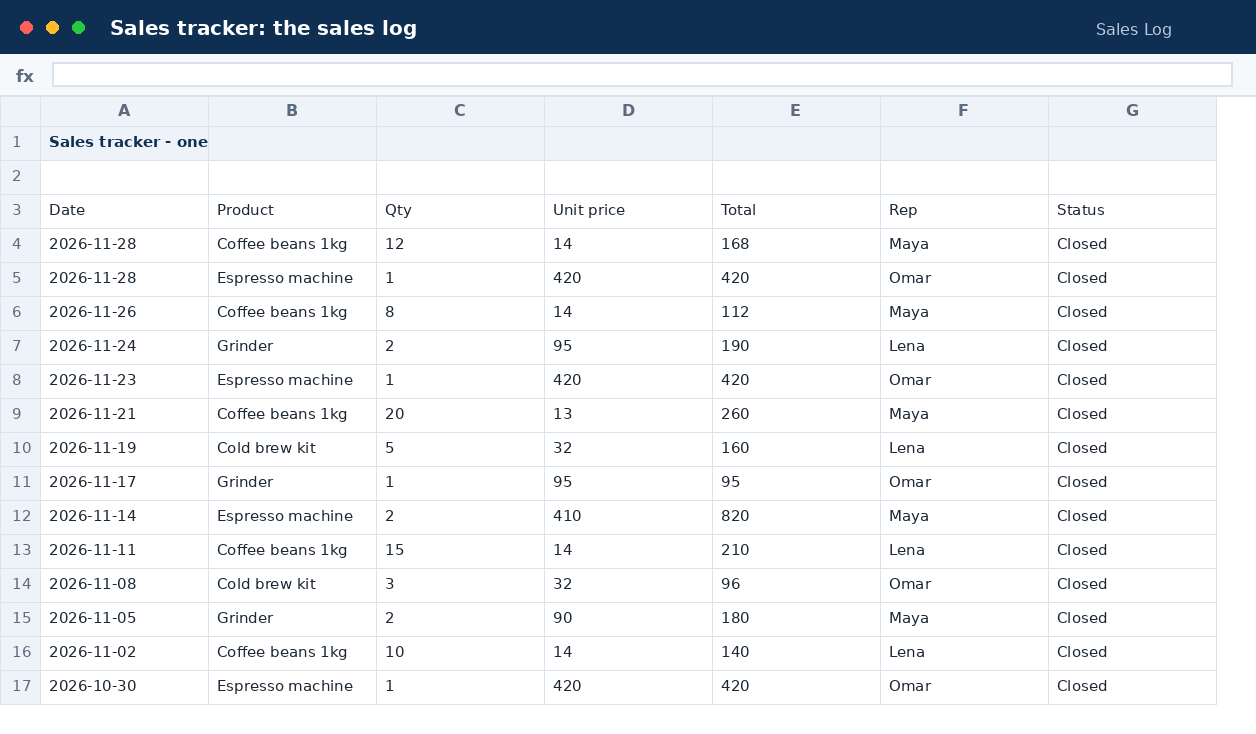
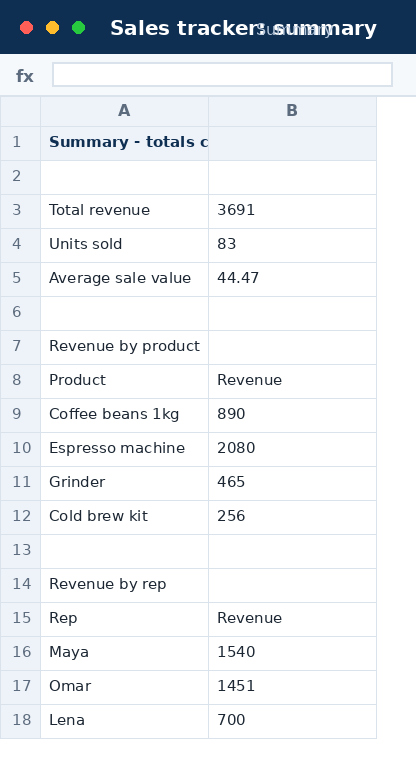
The workbook has three sheets. Sales Log is the record: date, product, quantity, unit price, rep and status, with 14 sample rows. The Total column runs =IF(OR(C4="",D4=""),"",C4*D4), so it stays blank on empty rows and fills itself as you add sales. Summary shows total revenue, units sold and average sale value, then splits revenue by product and by rep using SUMIFS. How to use is the quick-start guide built into the file.
How to use this sales tracker in Excel
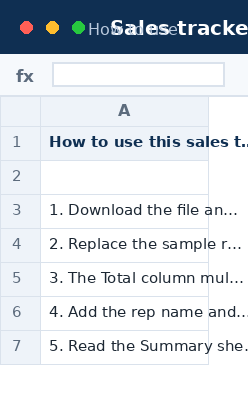
1. Get the file. Download the xlsx below. It opens in Excel, Google Sheets and LibreOffice Calc. 2. Replace the sample rows on the Sales Log with your own sales. 3. Keep the Total formula in column E; copy it down if you add rows past row 33. 4. Add your product and rep names to the lists on the Summary sheet so the SUMIFS totals pick them up. 5. Read the Summary weekly. Revenue by product shows what to restock or promote; revenue by rep shows who needs help.
What to track beyond revenue
Revenue is the headline, but two columns make the data more useful over time: the rep, so you can see who closes what, and the status, so open deals are not counted as closed. Once you have a month of rows, compare average sale value week to week. A falling average with rising volume usually means discounting; the reverse often means you are selling to fewer, bigger customers.
Common questions
Is this a CRM? No. It tracks completed sales, not leads or follow-ups. When you outgrow it, see our best invoicing software for small business roundup for the next step.
How do I track what customers still owe? Use our accounts receivable template for Excel alongside this one: sales go here, unpaid invoices go there.
Where do the sales numbers feed into my books? Into income. Our free bookkeeping template logs income and expenses together.
Download the free template
The bottom line
You do not need software to know what is selling. Log each sale, let the formulas total it, and read the summary once a week - the habit matters more than the tool.