
AI automation for small businesses means letting software handle repeat tasks, such as sorting emails, writing first drafts, summarizing notes and moving data between apps. You do not need a developer or a big budget to start. This guide explains where AI workflow automation for small business fits, how to pick a task, and how to set up your first automation safely. Tool names and plans change often, so check each tool's own pricing page before you commit.
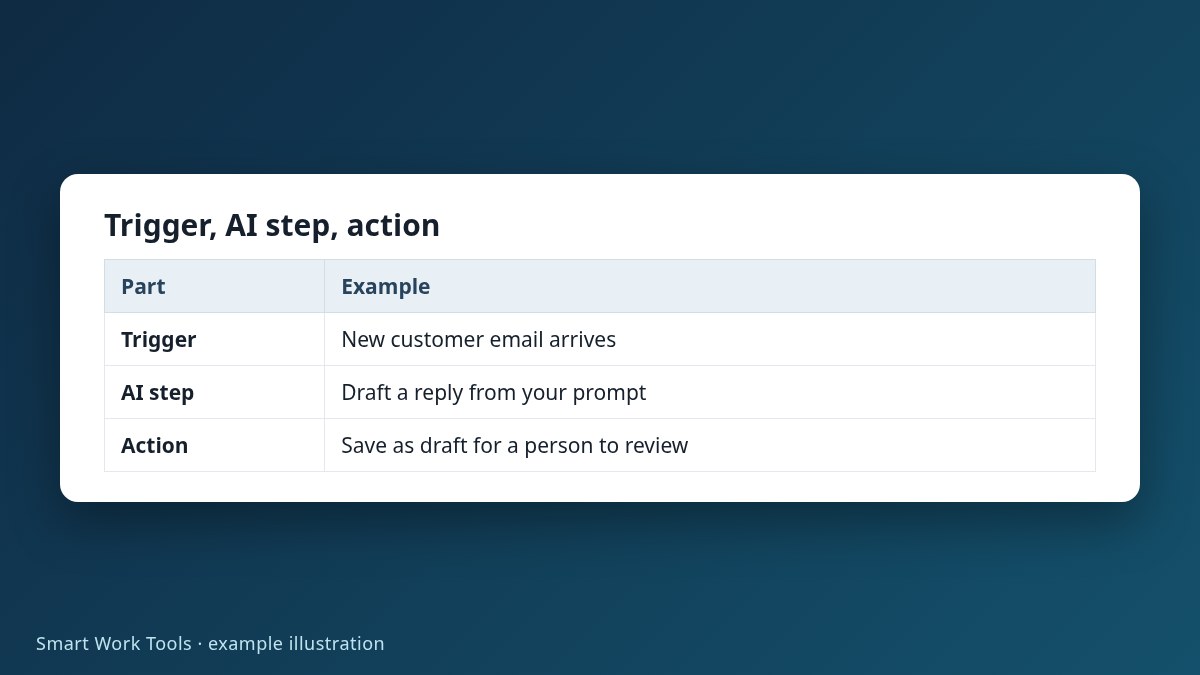
What AI automation can do for a small business
Think of two parts. A trigger starts the work (a new email, a form entry, a new row in a sheet). An action does something (draft a reply, label a lead, add a line to a report). AI helps in the middle, where the task needs reading or writing. Common examples:
- Draft a reply to a customer email, which you review before sending.
- Turn meeting notes into a list of action items.
- Sort form answers or support requests into categories.
- Write a short summary of a long document.
Pick the right task first
The best first task is one you repeat every week, that follows a clear pattern and where a mistake is easy to catch. Avoid tasks that touch money, legal text or private customer data until you are comfortable. Write the steps down by hand. If you cannot list the steps, you cannot automate them yet.
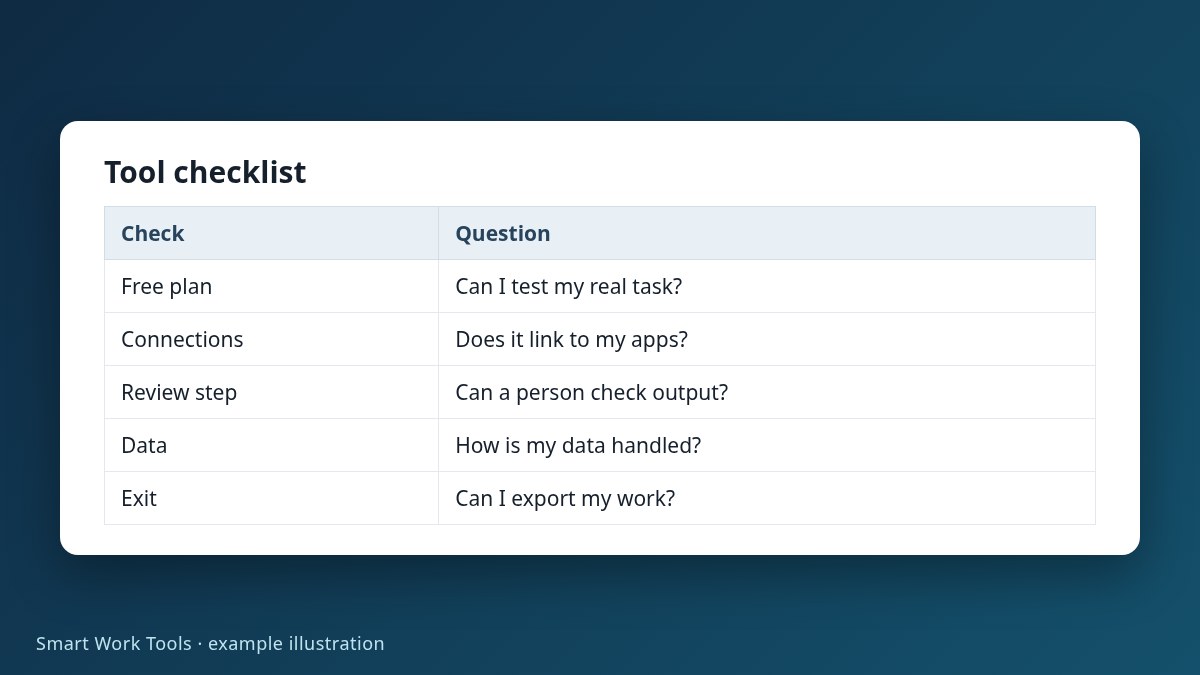
AI automation tools for small businesses: what to look for
Instead of a long list of names, use these checks when you compare tools:
- Free plan or trial: can you test your real task before paying? Read the current limits on the tool's page.
- Connections: does it connect to the apps you already use, such as email, Google Sheets or your calendar?
- Review step: can a person check the output before it goes out?
- Data handling: read how the tool treats your data before you paste in anything private.
- Exit: can you export your work if you leave?
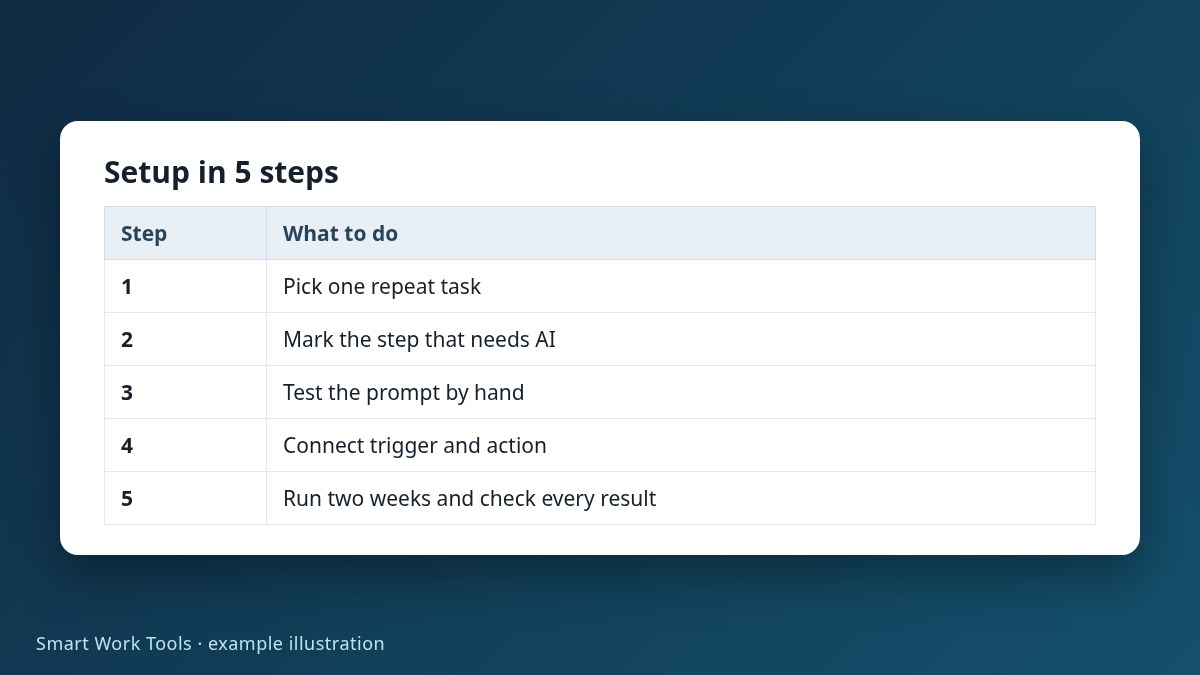
AI automation setup for small businesses: a simple 5 step plan
- Choose one repeat task and write its steps.
- Mark which step needs AI (reading, writing or sorting).
- Test that step by hand with a chat assistant, using a clear prompt. Our email reply prompts and meeting notes prompt are good starting points.
- Connect the trigger and action in an automation tool, with a manual review step.
- Run it for two weeks, check every result, then adjust the prompt.
AI marketing automation for small businesses
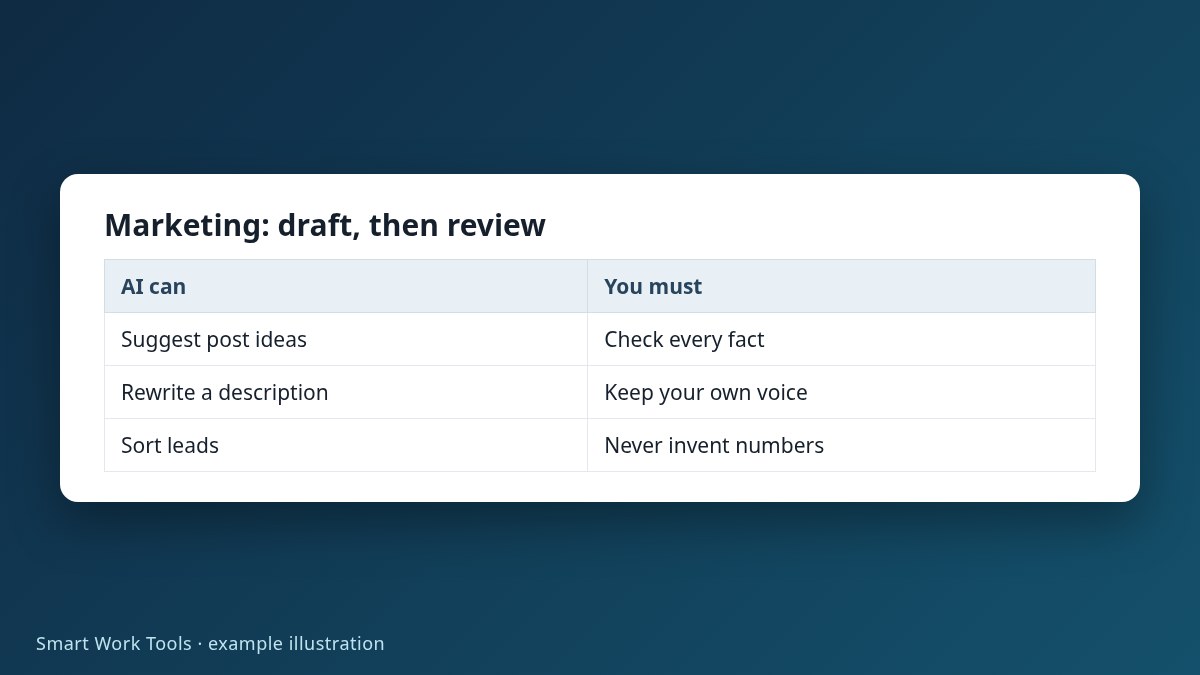
Marketing is a natural fit: draft post ideas, rewrite a product description, sort leads by interest. Keep your own voice and facts. Always read and edit before publishing, and never let AI invent numbers, reviews or claims about your product.
Use AI inside your spreadsheets
Many small teams already live in spreadsheets, so start there. A prompt that writes a formula can save time, as shown in our guide to building a dashboard in Google Sheets, and the same sheet can feed weekly reports.
AI automation for small business: common questions
Do I need to know how to code?
No. Many automation tools use a visual builder where you pick a trigger and an action. Some basic planning is still needed.
Is AI automation safe for customer data?
It depends on the tool and your settings. Read the tool's data policy and keep private details out of prompts unless you are sure how they are used.
What should I automate first?
Start with a low-risk, repeat task such as summarizing notes or drafting a routine reply, with a human review step.
Related guides on Smart Work Tools
Keep your team on track with a task tracker and a weekly team meeting agenda.