
Invoicing software is worth it once you send a lot of invoices. Until then, a clean spreadsheet does the job: you control the layout, nothing is locked behind a plan, and you can export a PDF in seconds. Below is our free invoice template for Google Sheets and how to use it.
What the template does
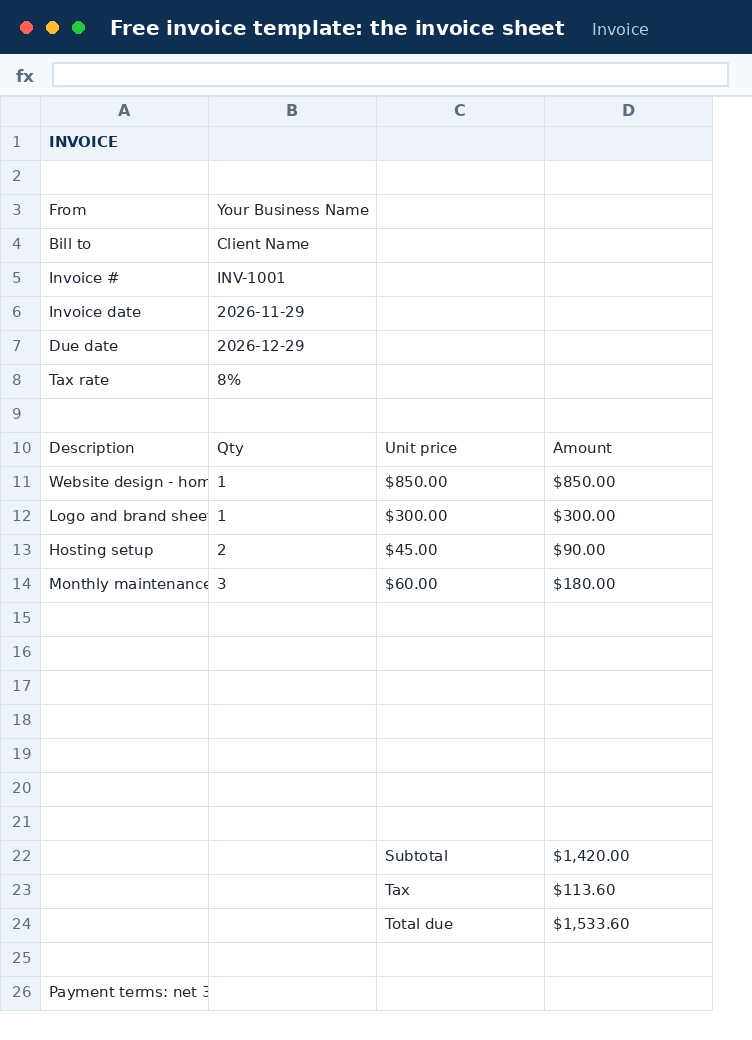
The workbook has two sheets. Invoice has your business and client details, invoice number and dates, ten line-item rows, and a totals block. Each Amount is =IF(OR(B11="",C11=""),"",B11*C11), so empty rows stay blank. Subtotal is a SUM, Tax is the subtotal times the rate in B8, and Total due adds them. How to use is the quick-start guide built into the file.
How to use this invoice template in Google Sheets
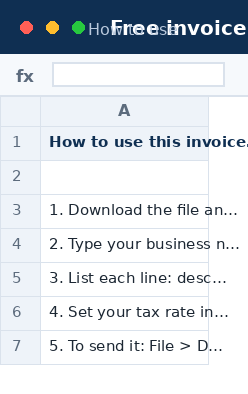
1. Get the file. Download the xlsx below, then File > Import > Upload in Google Sheets. 2. Fill in the top block: your business, the client, invoice number and dates. 3. List your line items with quantity and unit price. 4. Set the tax rate in B8, or 0% if you do not charge tax. 5. Export to PDF: File > Download > PDF. Make a fresh copy of the sheet for each new invoice and number it in sequence.
What every invoice should include
Whatever tool you use, a payable invoice has the same basics: your name and contact details, the client name, a unique invoice number, the issue date and due date, itemized work with quantities and prices, the total due, and how to pay. Tax and legal requirements vary by country and business type, so check what applies to you; the template covers the layout, not tax advice.
Common questions
How do I track which invoices are paid? Log each one in our accounts receivable template for Excel, which counts days overdue for you.
When should I move to invoicing software? When reminders and online payment links save you more time than they cost. See our best invoicing software for small business roundup.
Where does invoiced income go in my books? Into your income log; our free bookkeeping template handles that.
Download the free template
The bottom line
Send invoices the day the work is done, state the due date clearly, and keep a copy of every one. The template handles the math; the habit is yours.