
Minimum payments are designed to keep you in debt: most of a minimum payment on a high-APR card can go to interest. The fix is a plan with numbers on it. Below is our free credit card debt budget template for Google Sheets and how to use it. The sample cards and balances are made up; replace them with yours.
What the template does
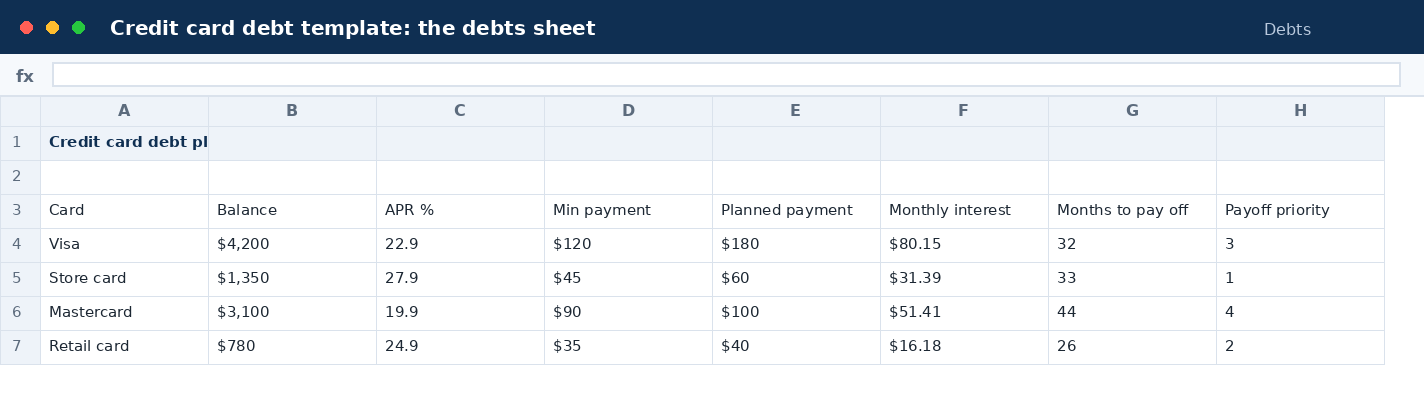
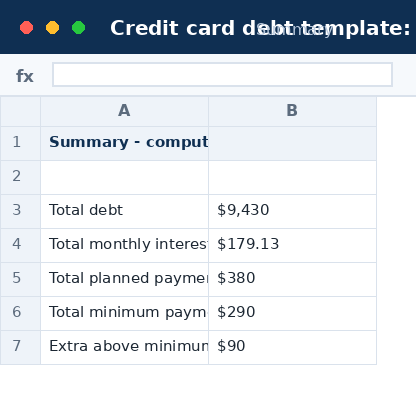
The workbook has three sheets. Debts lists each card with balance, APR, minimum and planned payment. Monthly interest is =ROUND(B4*C4/100/12,2), months to pay off uses NPER at your planned payment, and Payoff priority ranks cards by APR. If a payment does not cover the monthly interest, the sheet says "Payment too low" instead of showing a nonsense number. Summary totals your debt, interest and payments, and shows how much you pay above the minimums. How to use is built into the file.
How to use this credit card debt template
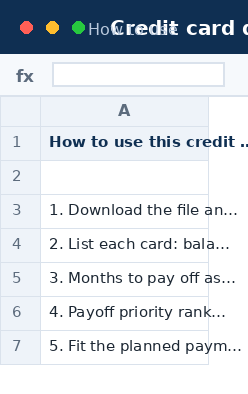
1. Get the file. Download the xlsx below, then File > Import > Upload in Google Sheets. 2. List every card with its balance, APR (on the statement), minimum payment and what you can actually pay. 3. Read the priority column. Pay the minimum on every card and put all extra money on priority 1. This is the avalanche method, which costs the least interest. 4. Update balances monthly from your statements; the payoff estimates assume you add no new charges.
Avalanche or snowball?
The avalanche method (highest APR first) minimizes interest. The snowball method (smallest balance first) gives faster early wins, which keeps some people going. If you prefer snowball, ignore the priority column and pay the smallest balance first; the rest of the sheet works the same. The best method is the one you will stick with.
Common questions
Where does the monthly payment come from? From your budget. Start with our free Google Sheets budget template to find the money, then enter the amount here.
How do I stop adding new debt? Track spending with the Google Sheets expense tracker so you see charges as they happen.
Is this advice? No. It is a calculator. If your debt feels unmanageable, a nonprofit credit counseling agency can help. Couples can pair this with the couples budget template.
Download the free template
The bottom line
Know your numbers, pay more than the minimum, and aim extra money at one card at a time. The template does the arithmetic so you can focus on the habit.