
If you want to know how to use ChatGPT to write Excel formulas, the method is simple: describe your sheet in plain words, paste the formula you get back, and test it. The same steps work with Claude and Gemini, and with Google Sheets as well as Excel. This guide gives you the steps, example prompts you can copy, and the limits you should expect. The data in the examples is made up.
How to use ChatGPT to write Excel formulas: the basic method
- Open your sheet and note the column letters and the first row of data.
- Tell the assistant which program you use (Excel or Google Sheets).
- Describe the columns, then describe the result you want in one sentence.
- Copy the formula into one cell and fill it down.
- Check three or four rows by hand before you trust it.
The same five steps apply to Claude and Gemini when you use them as chat assistants. They only see what you type, so give them enough detail.
A prompt template you can copy
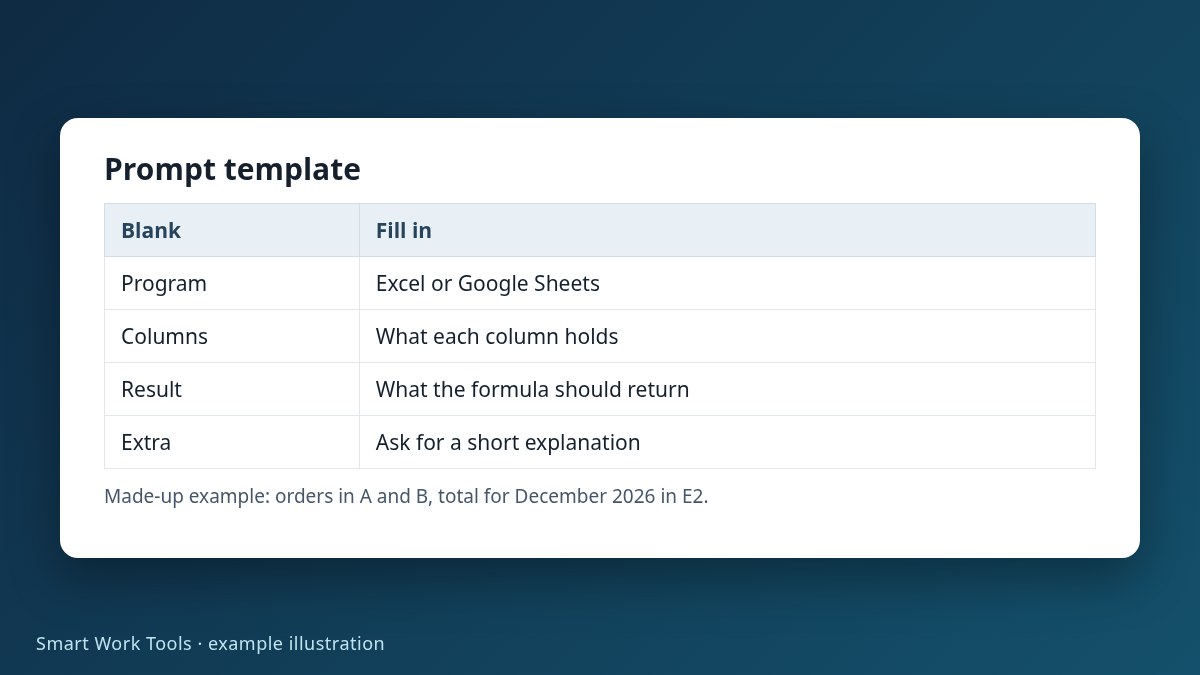
Fill in the brackets:
I use [Excel or Google Sheets]. Column A has [what], column B has [what]. Write a formula for cell C2 that [result you want]. Explain it in one short paragraph.
Example with made-up data: "I use Google Sheets. Column A has order dates, column B has amounts. Write a formula for cell E2 that adds up the amounts for December 2026."
Fix a formula error with AI
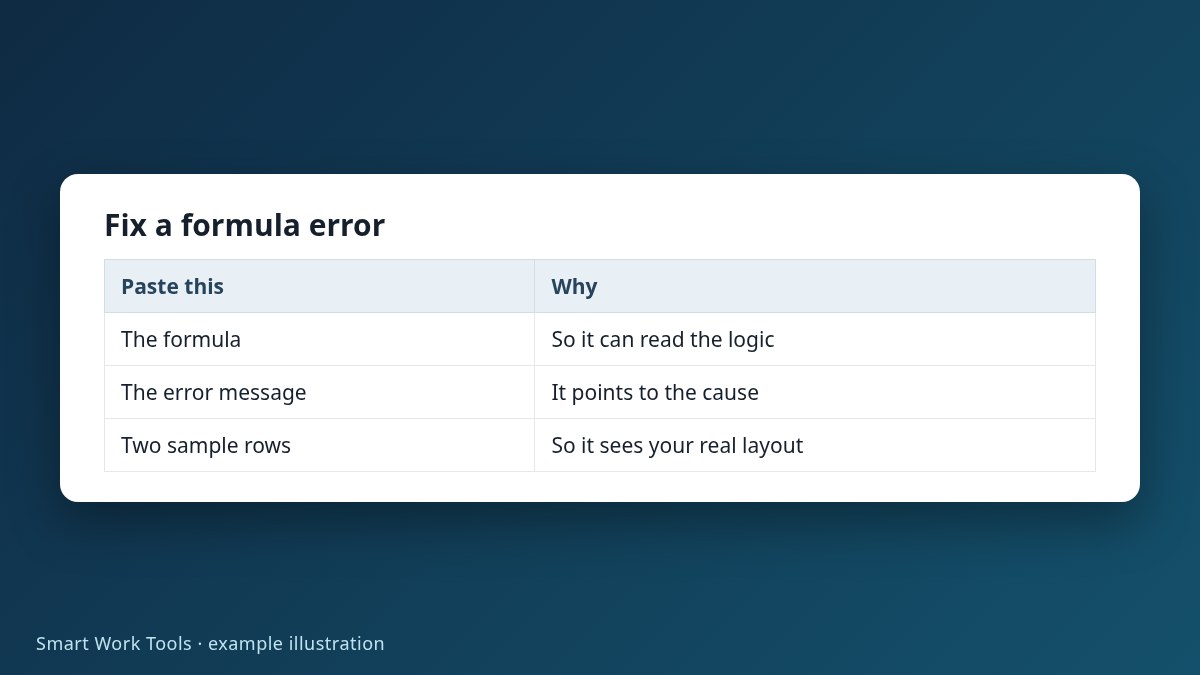
When a formula shows an error, paste three things into the chat: the formula, the error message and two sample rows. Then ask what is wrong and how to fix it. This often finds a missing bracket, a text value stored where a number should be, or a wrong range. If you want to understand the basics yourself, read our guides on multiple IF statements and XLOOKUP vs VLOOKUP.
Gemini in Google Sheets
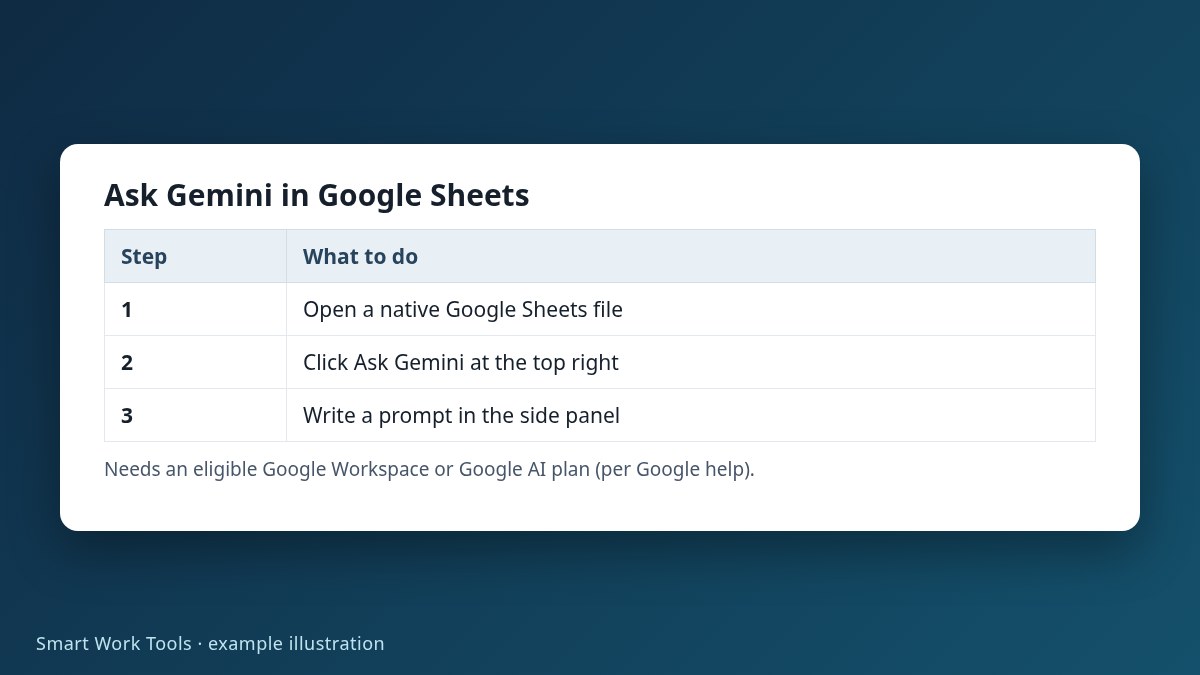
Google describes a built-in way to use Gemini in Sheets. Open a spreadsheet, click Ask Gemini at the top right and write a prompt in the side panel. According to Google's help page, Gemini can create tables and formulas, build charts, and do actions such as conditional formatting or a pivot table. It needs an eligible Google Workspace or Google AI plan, and it works best on native Google Sheets files. Source: Collaborate with Gemini in Google Sheets. For the cell-level function, see our guide to Google Sheets AI formulas.
Example prompts for common spreadsheet jobs
- "Write a formula that returns Late if the due date in column D is before today and the status in column E is not Done."
- "Write a formula that looks up the price in sheet Prices by product name in A2."
- "Write a formula that extracts the domain from the email address in B2."
- "Explain this formula step by step: [paste formula]."
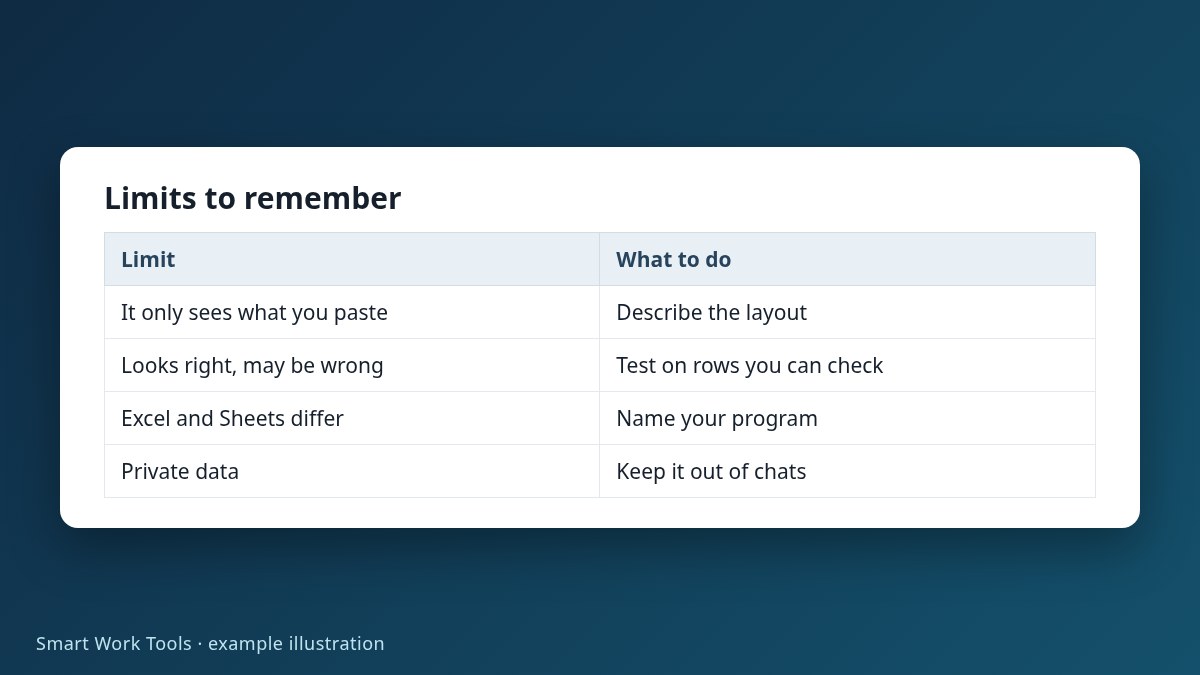
Honest limits of AI for spreadsheet formulas
- A chat assistant cannot see your file unless you paste data into the chat. It may guess your layout.
- A formula can look right and still give wrong numbers. Always test on rows you can check.
- Functions differ between Excel and Google Sheets, so name your program in the prompt.
- Do not paste private customer or financial data into a chat unless you have read how the tool handles it.
Questions about using AI with Excel and Google Sheets
Can ChatGPT, Claude or Gemini edit my Excel file directly?
As plain chat assistants, they give you text that you paste in yourself. Some products offer add-ins or built-in panels, and what they can do depends on your plan and version, so check the product's own help page.
Which AI is best for Excel formulas?
We have not run a controlled test, so we will not name a winner. Try the same prompt in two assistants and keep the formula that works on your test rows.
Is it safe to use AI formulas for money reports?
Use them as a first draft only. Check totals against a source you trust before anyone relies on the report.
Related guides on Smart Work Tools
Read our guide to Excel automation tips, start with AI automation for small businesses, and use a prompt for email replies.