
Before you launch a product, open a shop or change a price, it helps to know how much you have to sell just to stay level. The costs, prices and units in the sample are made up.
The break-even formula
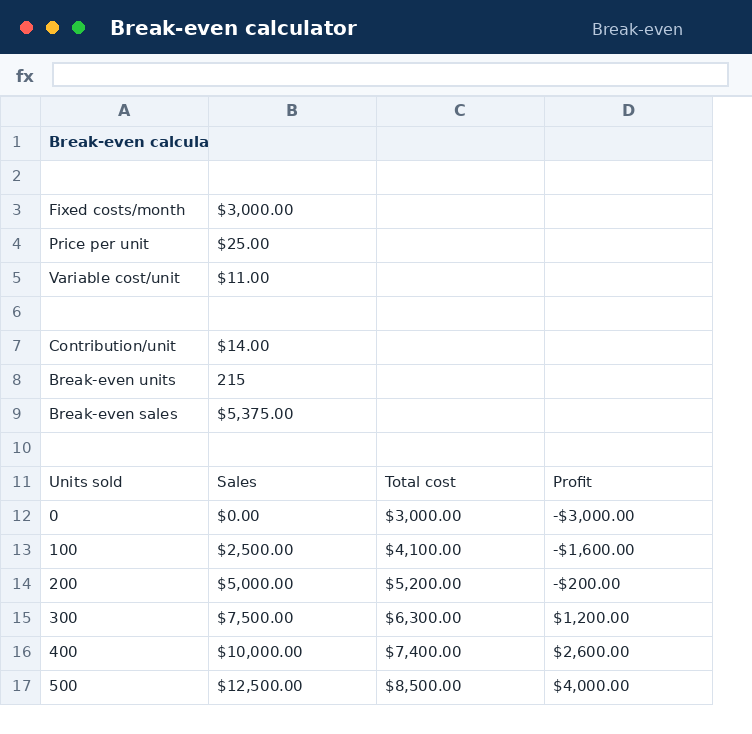
Each unit you sell contributes its price minus its variable cost toward your fixed costs. Break-even units equal fixed costs divided by that contribution. In the sample, fixed costs are $3,000 a month, the price is $25 and the variable cost is $11. The contribution is $14 per unit. $3,000 divided by $14 is 214.29, so you round up to 215 units. At 215 units, sales are $5,375.
How the template works
The Break-even sheet has three inputs in B3:B5. Contribution per unit (B7) is =B4-B5. Break-even units is =IF(B7<=0,"No break-even",ROUNDUP(B3/B7,0)), and break-even sales is break-even units times price. The table below runs from 0 to 500 units in steps of 100: sales, total cost and profit. In the sample, 200 units gives a $200 loss and 300 units gives a $1,200 profit, which fits a break-even point of 215.
How to use it
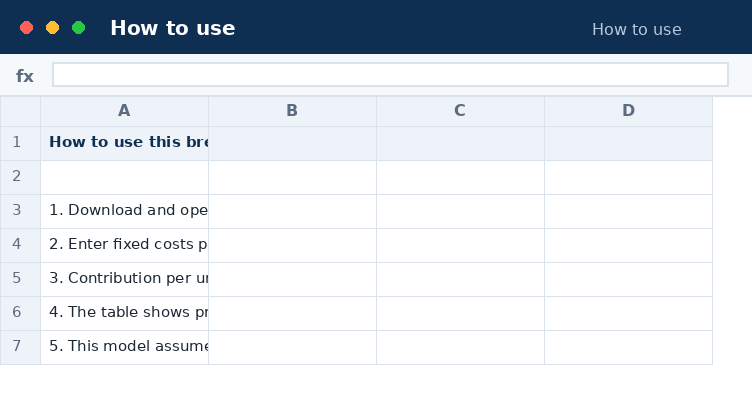
1. Download the xlsx. 2. Enter your monthly fixed costs, such as rent and software. 3. Enter the price and the variable cost per unit, such as materials and packaging. 4. Read the break-even units. 5. Change the price or costs and see how the number moves.
Limits of the model
It assumes one product, one price and costs that are either fixed or vary with each unit. Real costs are messier, and some are in between. Treat the result as a planning guide, not a forecast.
Related
Check your pricing with the profit margin calculator. For the full picture, see the profit and loss template. More files: Excel templates for small business.
Download the free template
The bottom line
Know your break-even number before you commit money. If it looks out of reach, change the price, the costs or the plan.